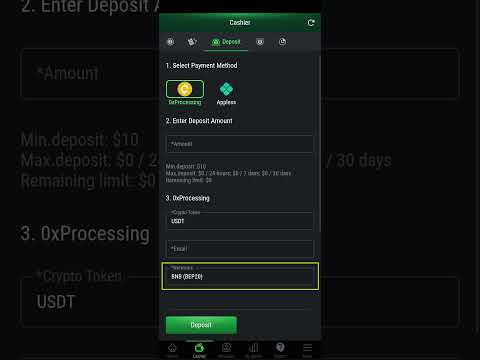

💰 How to Deposit on PokerFi
Learn how to make deposits on the PokerFi platform using USDT. Follow the step-by-step guide below with images to make the process easier.
1. Access Cashier
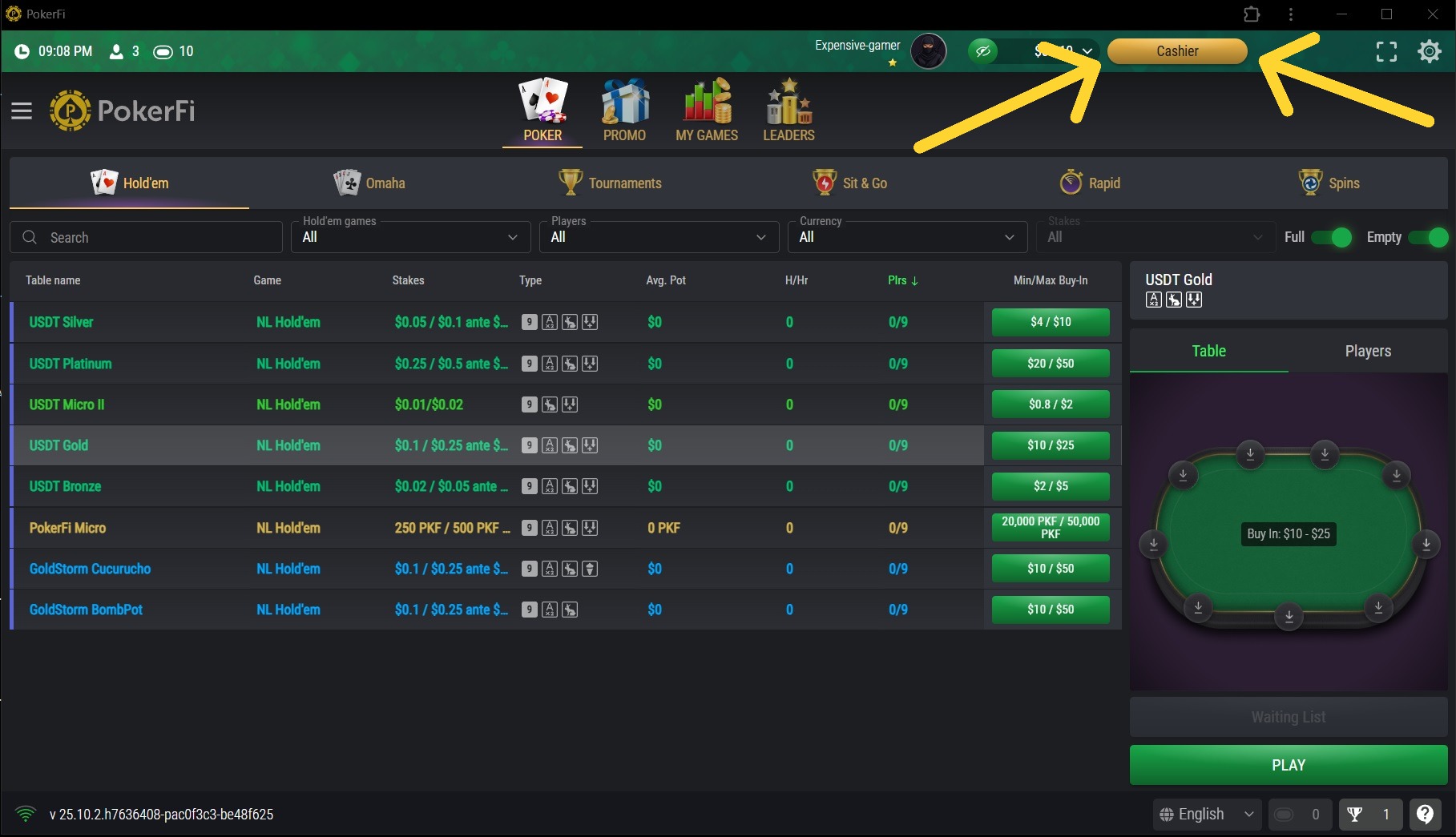
On the lobby screen, click the CASHIER button.
2. Click Deposit
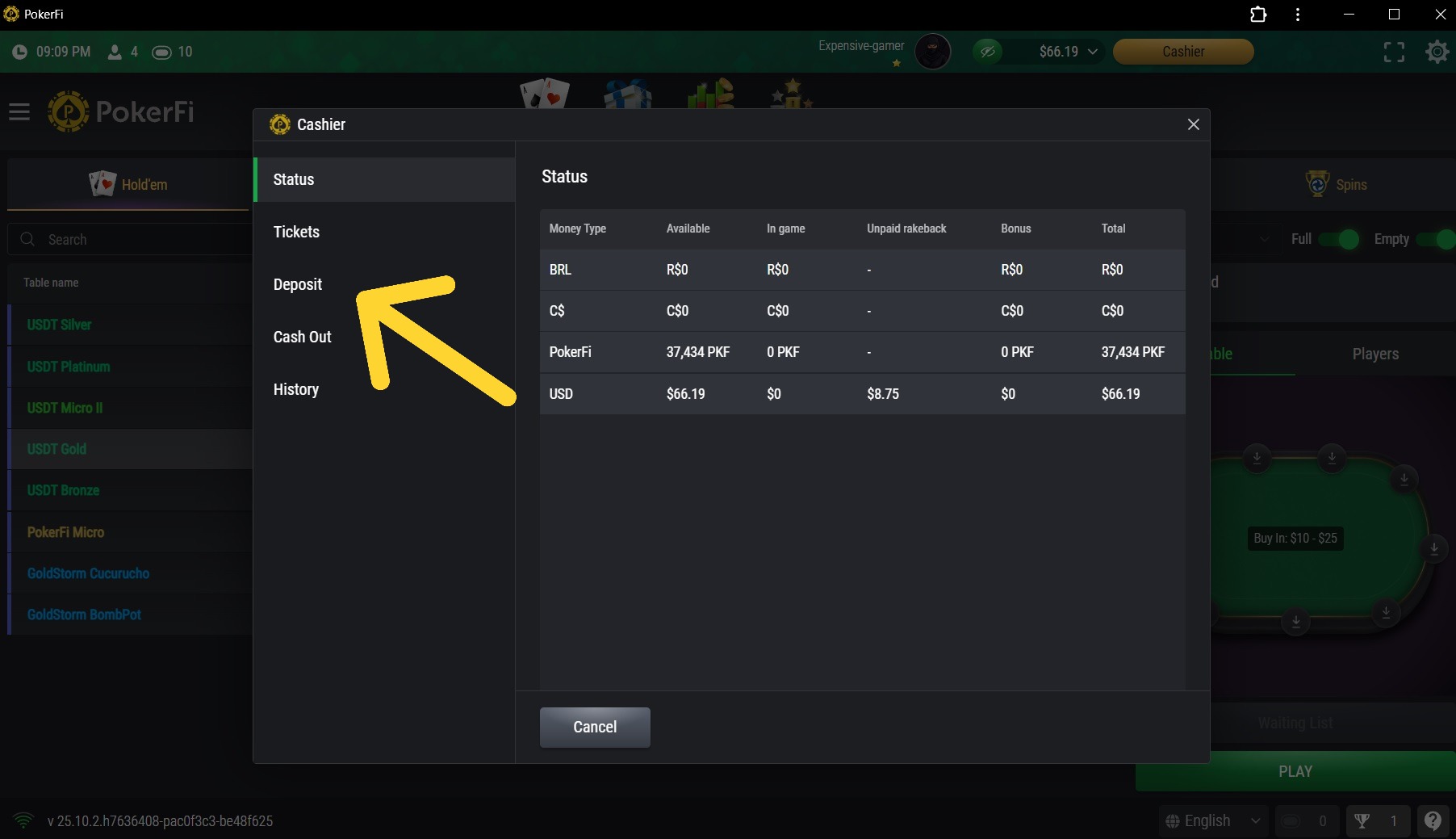
Click Deposit on the cashier screen.
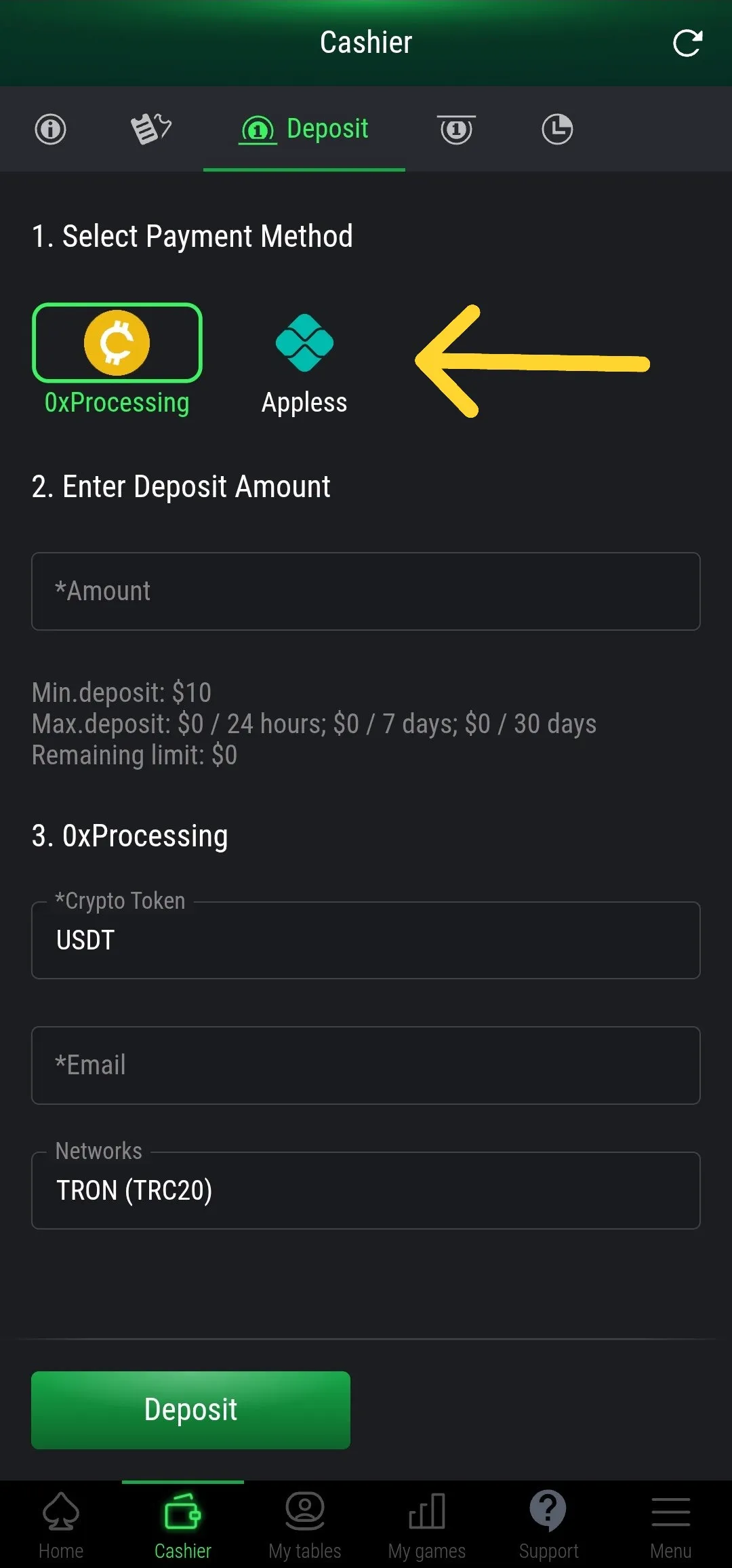
3. Choose Deposit Method
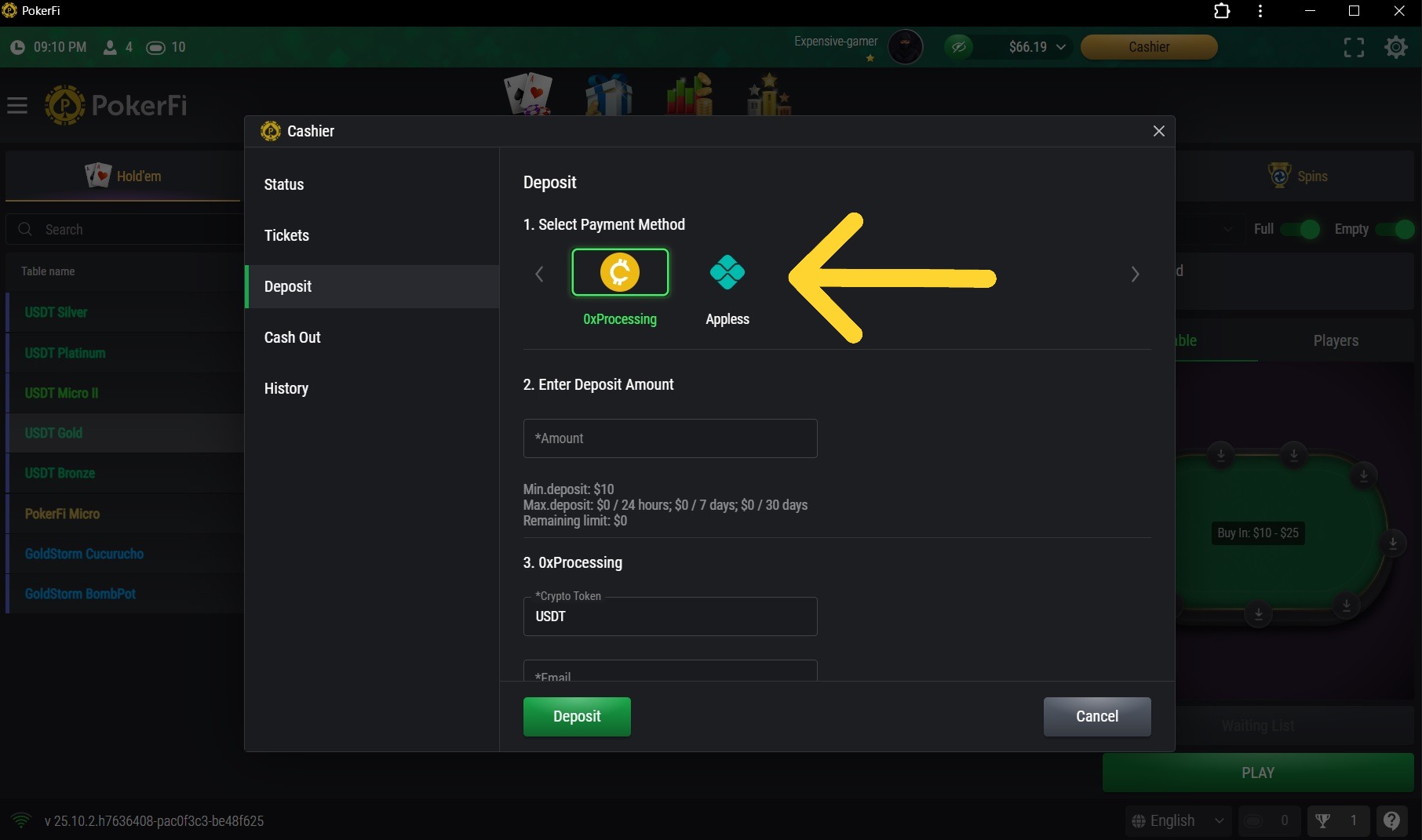
Choose 0xProcessing for USDT (Crypto Dollar) deposits.
💠 Appless Deposits
ℹ️ Important Information
Deposits via Appless are only available for users who have PIX in Brazil. If you are not in Brazil or do not have a PIX account, please use the USDT (0xProcessing) deposit option.
₿ USDT Deposit
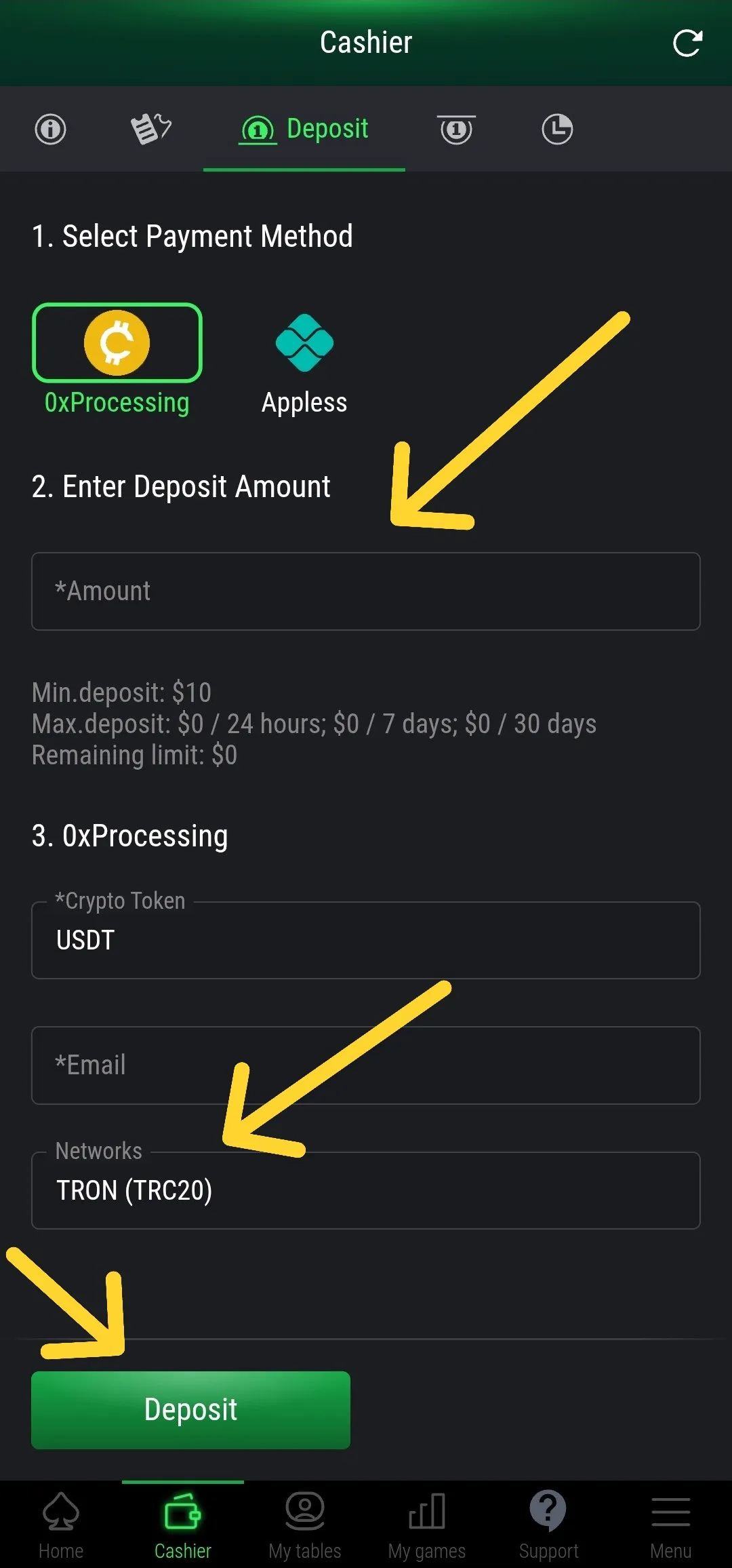
Select 0xProcessing for USDT crypto dollar deposits. Fill in the requested values correctly. Mark the correct network (ex: BEP-20) and then click DEPOSIT.
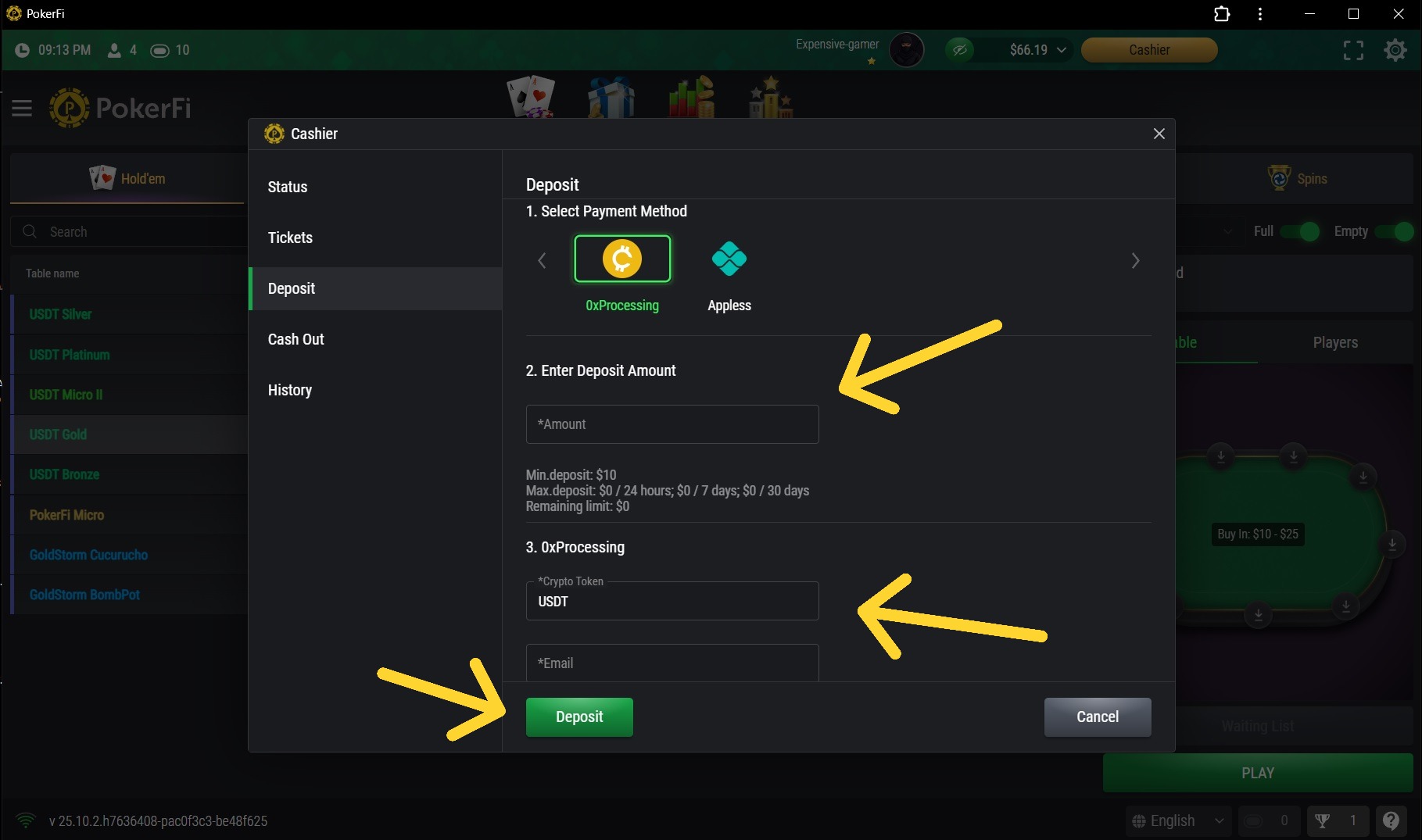
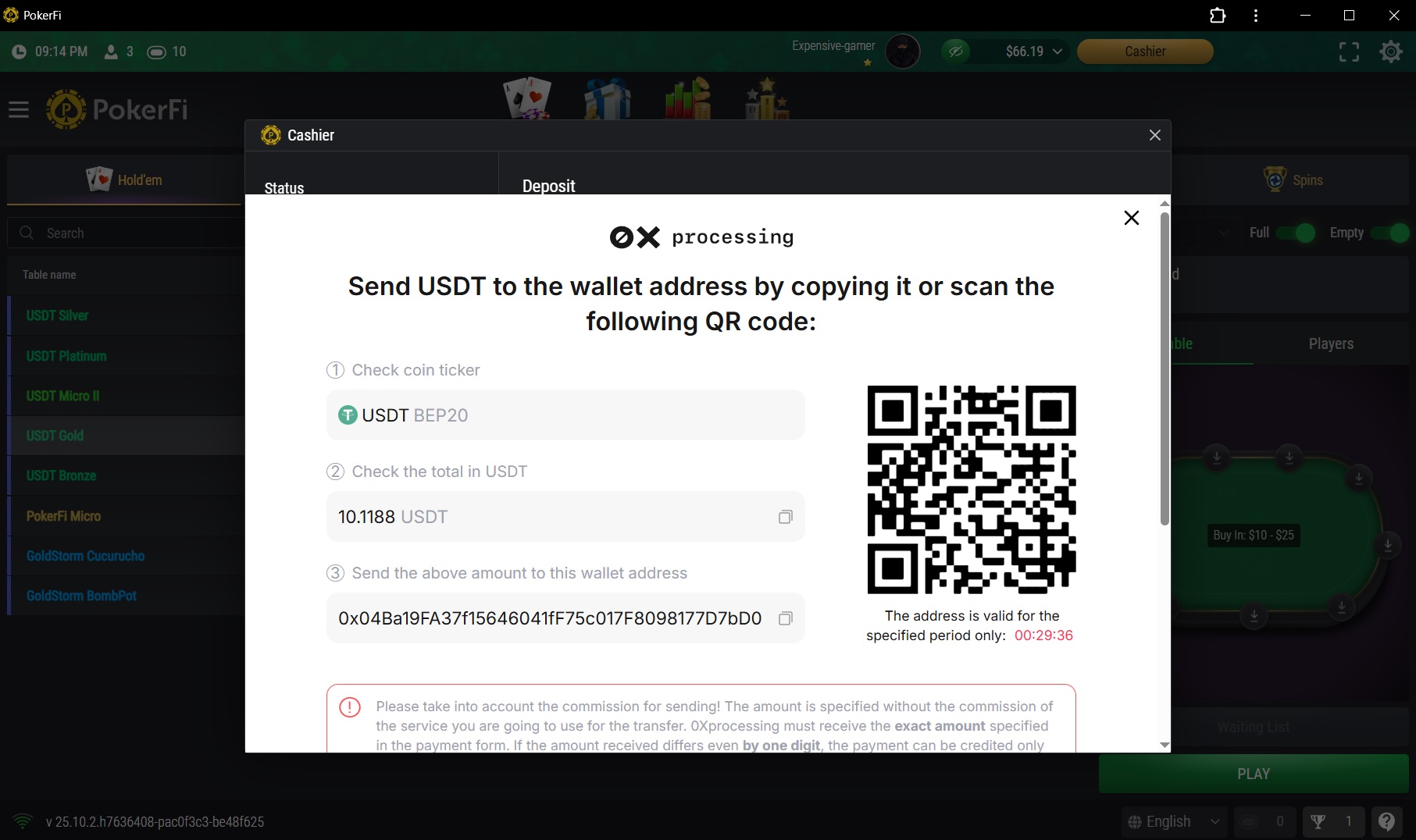
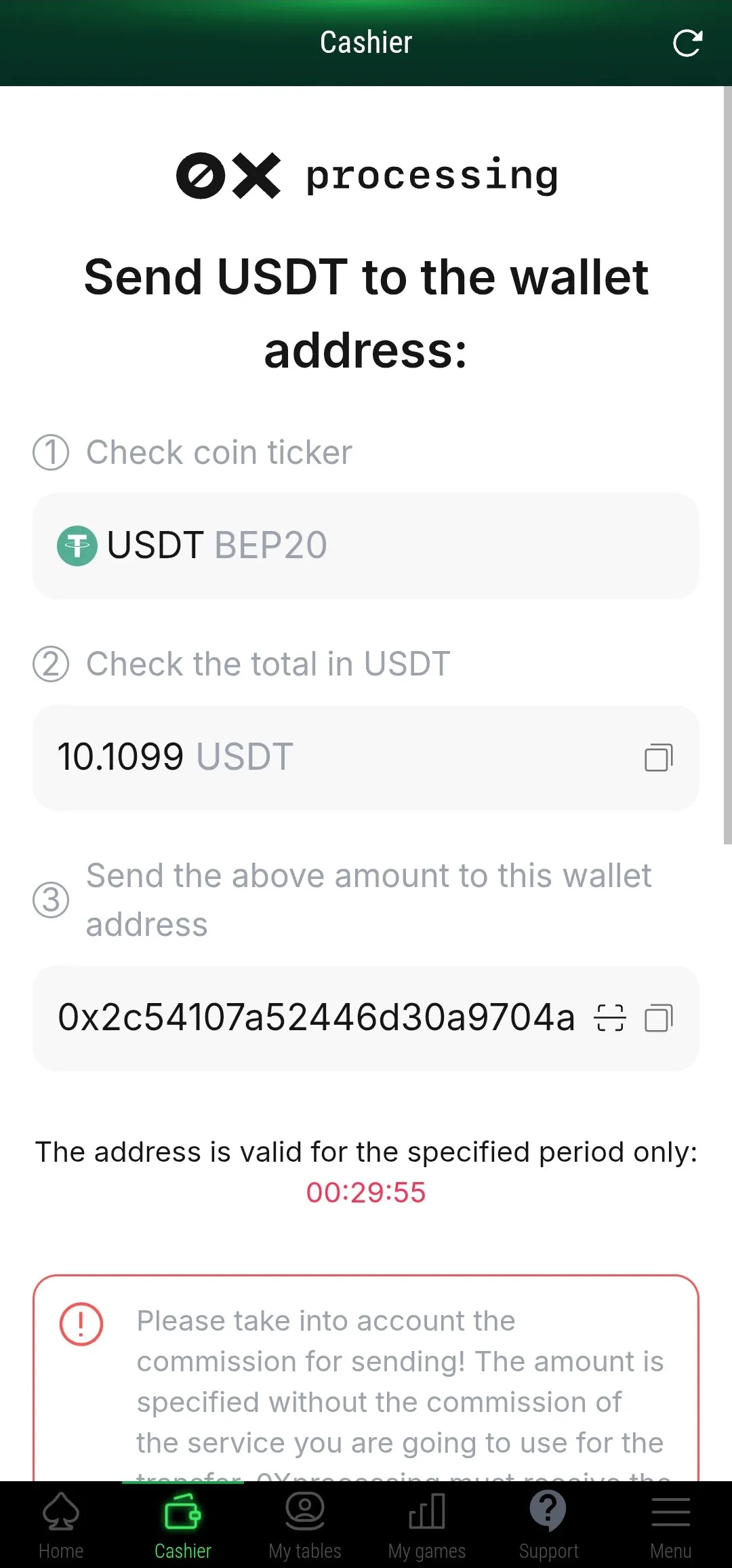
The value with decimals will be generated, and the address you must send to will be displayed, or if you prefer, the QR Code.
⚠️ Important: transfer exactly the amount you chose with these additional decimals, to avoid errors in the deposit.
✅ Confirmation
Once done, go back to the LOBBY or CASHIER screen and you will see the balance in your account.
⏳ Coming Soon
New deposit methods will be available soon, including the POKERFI token. Stay tuned for updates!
Questions about deposits?
[email protected]1. Access Cashier
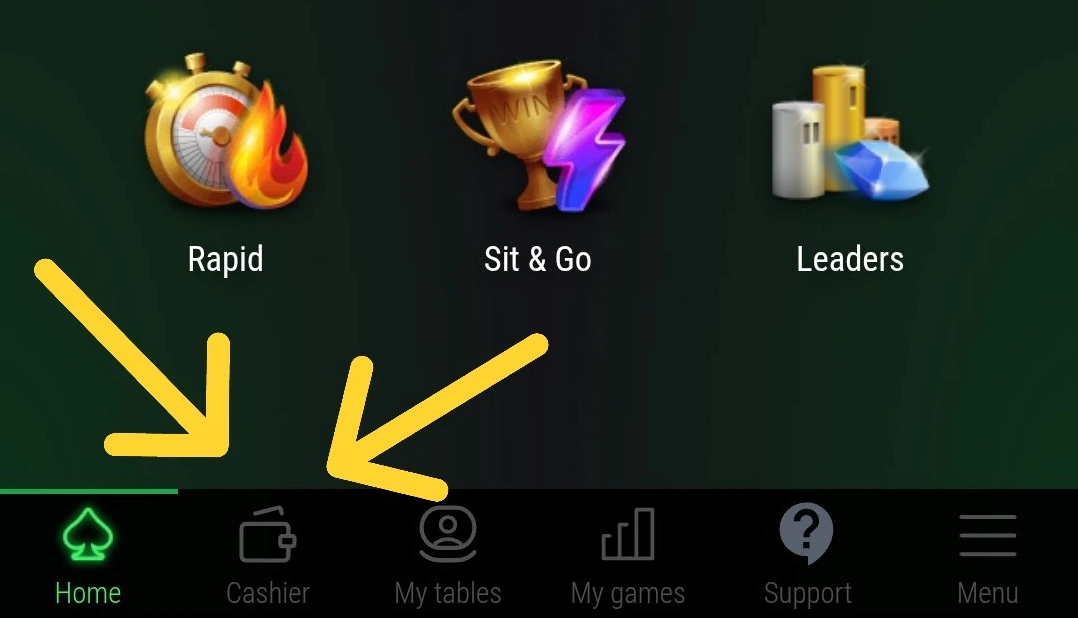
On the lobby screen, click the CASHIER button.
2. Click Deposit
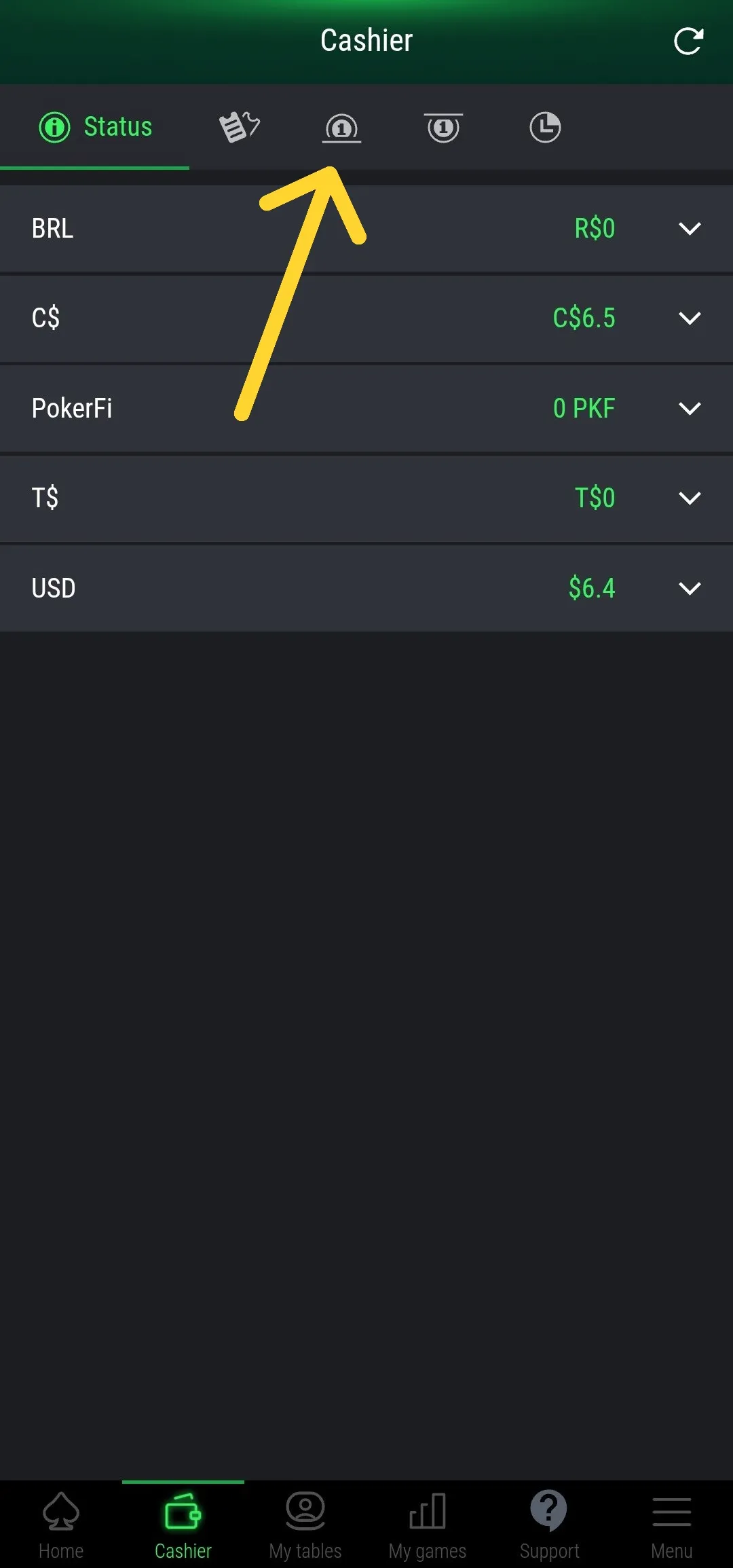
Click Deposit on the cashier screen.
3. Choose Deposit Method
Choose 0xProcessing for USDT (Crypto Dollar) deposits.
💠 Appless Deposits
ℹ️ Important Information
Deposits via Appless are only available for users who have PIX in Brazil. If you are not in Brazil or do not have a PIX account, please use the USDT (0xProcessing) deposit option.
₿ USDT Deposit
Select 0xProcessing for USDT crypto dollar deposits. Fill in the requested values correctly. Mark the correct network (ex: BEP-20) and then click DEPOSIT.
The value with decimals will be generated, and the address you must send to will be displayed, or if you prefer, the QR Code.
⚠️ Important: transfer exactly the amount you chose with these additional decimals, to avoid errors in the deposit.
✅ Confirmation
Once done, go back to the LOBBY or CASHIER screen and you will see the balance in your account.
⏳ Coming Soon
New deposit methods will be available soon, including the POKERFI token. Stay tuned for updates!
Questions about deposits?
[email protected]