
✅ How to Verify Your Account on PokerFi
Learn how to verify your account on the PokerFi platform to make withdrawals securely. Follow the step-by-step guide below with images to facilitate the verification process and start withdrawing your winnings.
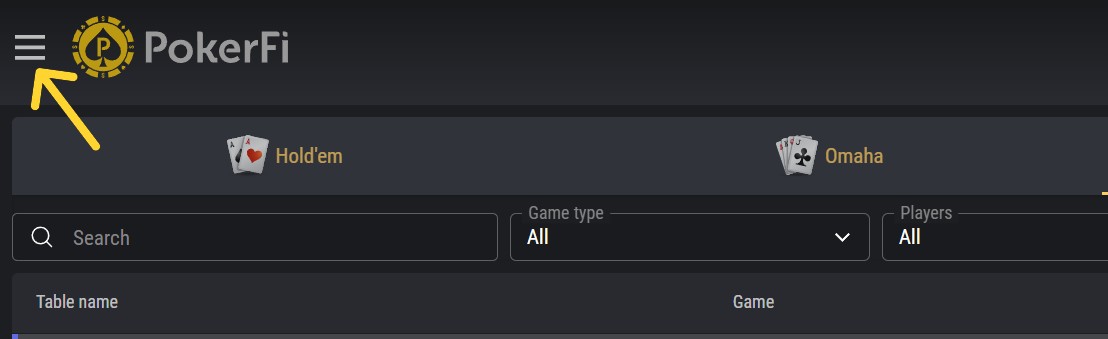
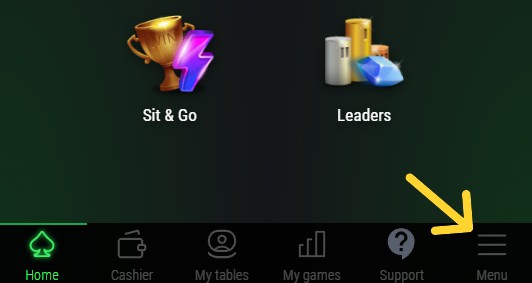
1. Click on MENU
Click on MENU on the platform.
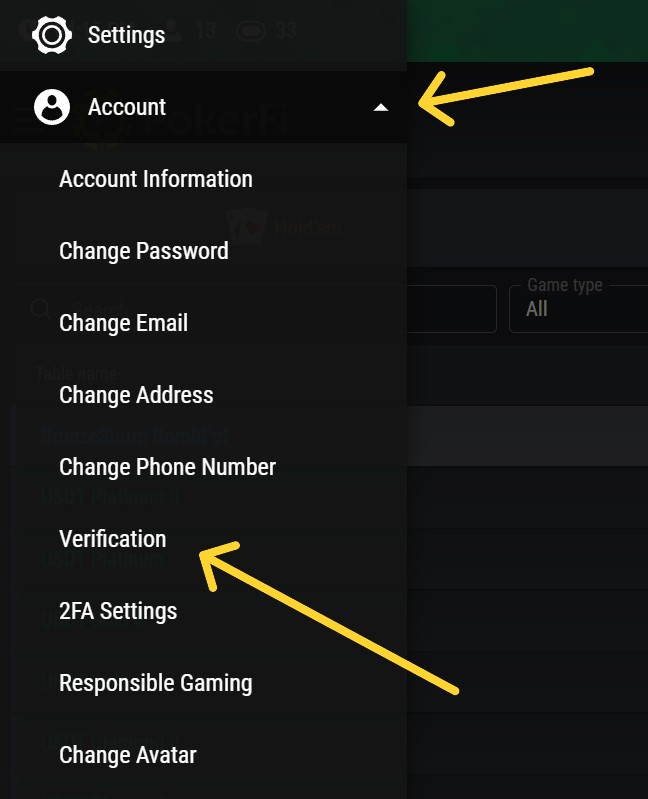
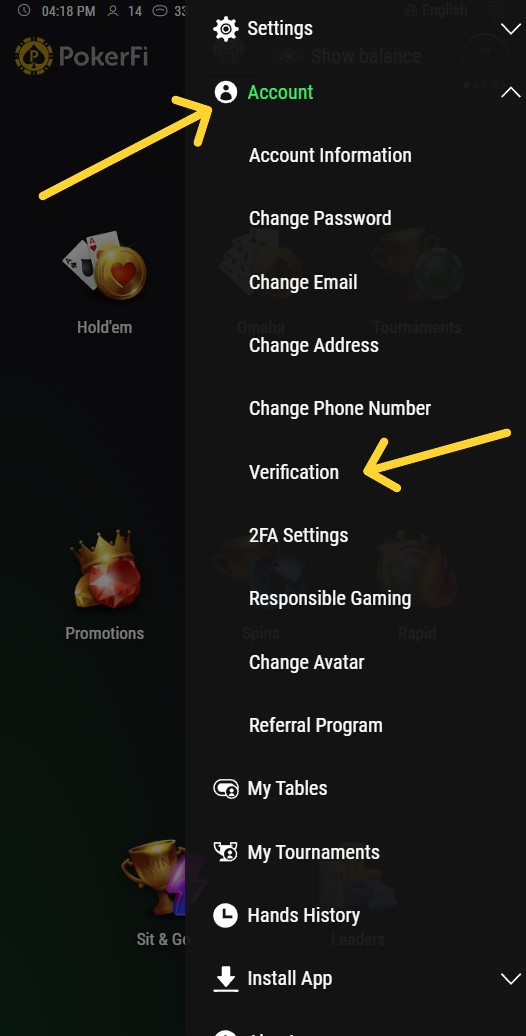
2. Click on ACCOUNT and then VERIFICATION
Click on ACCOUNT and then VERIFICATION.
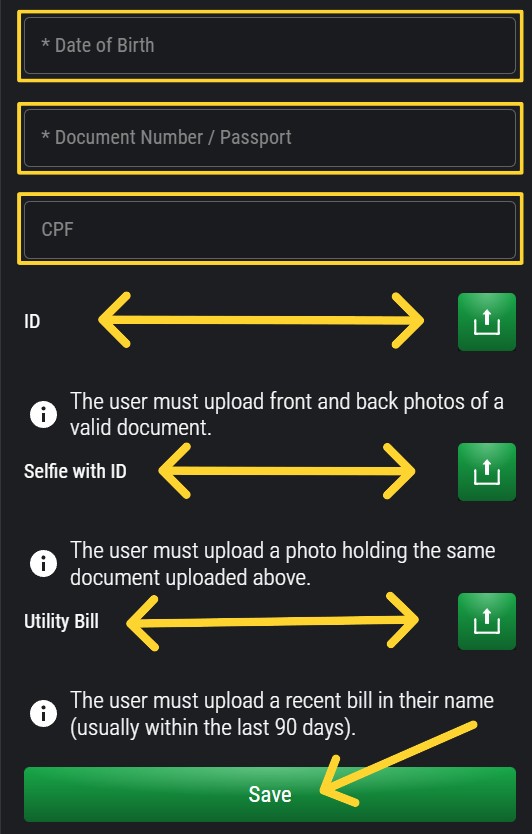
3. Fill in the Data and Send Documents
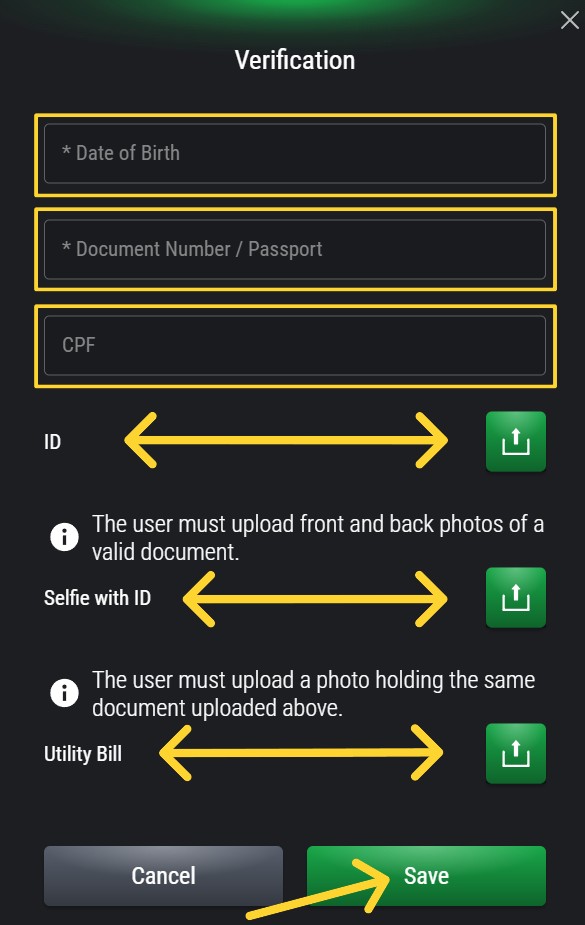
Fill in your DATE OF BIRTH, your DOCUMENT NUMBER/PASSPORT. Then attach:
⚠️ Important: If you live in Brazil, fill in your CPF - it will be used for PIX withdrawals.
- ID (this field is a photo of your document that you filled in above)
- Selfie with ID (in this field you send a photo holding the same document you sent above, the photo must be clear showing your face and your document)
- Utility Bill (in this field you send a proof of residence document, from the last 90 days, i.e., the most recent, preferably water or electricity)
4. Click SAVE
After filling in all data and attaching documents, click SAVE.
5. Wait for PokerFi Team Approval
Wait for PokerFi team approval. You will be notified once your verification is approved.
If you have questions, contact support:
[email protected]1. Click on MENU
Click on MENU on the platform.
2. Click on ACCOUNT and then VERIFICATION
Click on ACCOUNT and then VERIFICATION.
3. Fill in the Data and Send Documents
Fill in your DATE OF BIRTH, your DOCUMENT NUMBER/PASSPORT. Then attach:
⚠️ Important: If you live in Brazil, fill in your CPF - it will be used for PIX withdrawals.
- ID (this field is a photo of your document that you filled in above)
- Selfie with ID (in this field you send a photo holding the same document you sent above, the photo must be clear showing your face and your document)
- Utility Bill (in this field you send a proof of residence document, from the last 90 days, i.e., the most recent, preferably water or electricity)
4. Click SAVE
After filling in all data and attaching documents, click SAVE.
5. Wait for PokerFi Team Approval
Wait for PokerFi team approval. You will be notified once your verification is approved.
If you have questions, contact support:
[email protected]