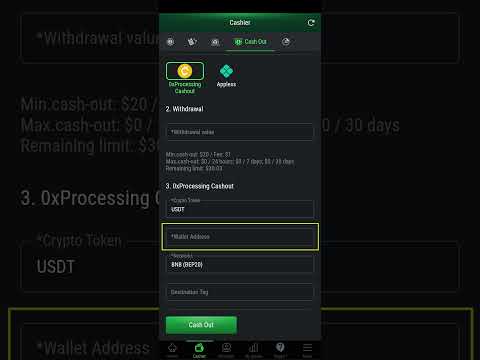

💸 How to Withdraw from PokerFi
Learn how to withdraw from the PokerFi platform using USDT. Follow the step-by-step guide below with images to make the process easier.
ℹ️ Important
You need to verify your account before making withdrawals on the platform.
Haven't verified your account yet? Access the verification tutorial
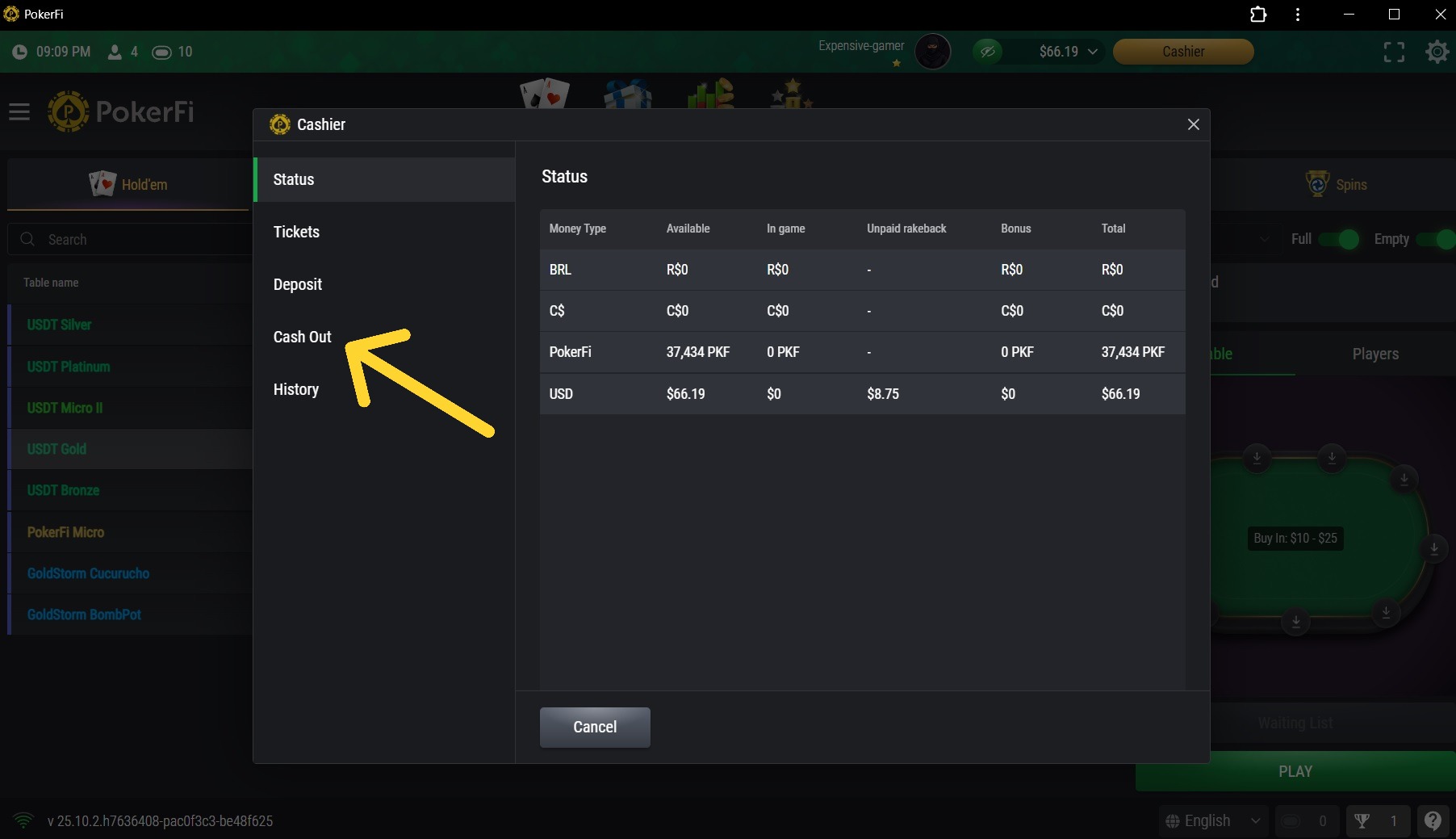
1. Access Cashier and Click Withdraw
On the CASHIER screen, click WITHDRAW.
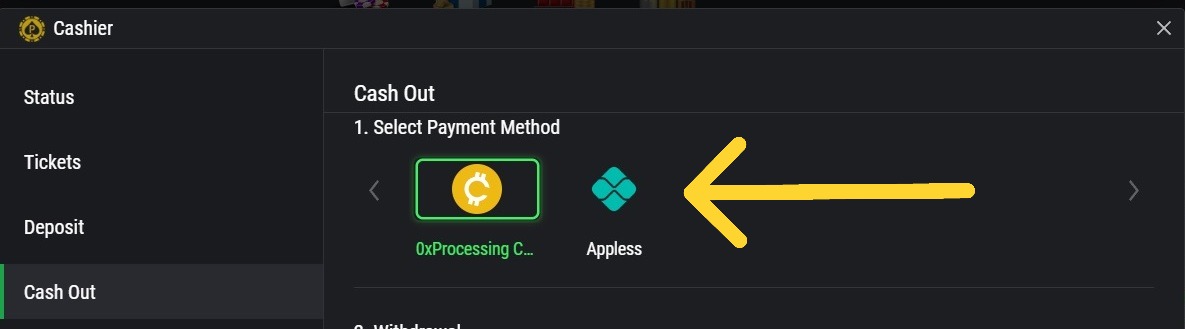
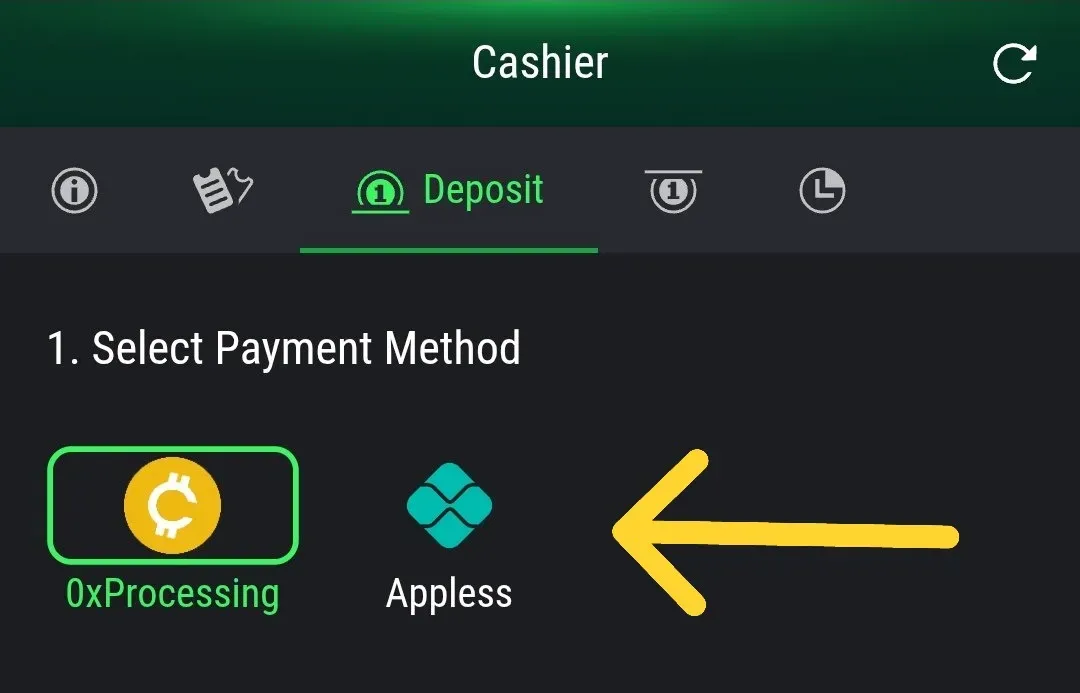
2. Choose Withdrawal Method
Choose USDT (0xProcessing) for cryptocurrency withdrawals.
₿ USDT Withdrawal
Fill in the requested withdrawal data and then click WITHDRAW.
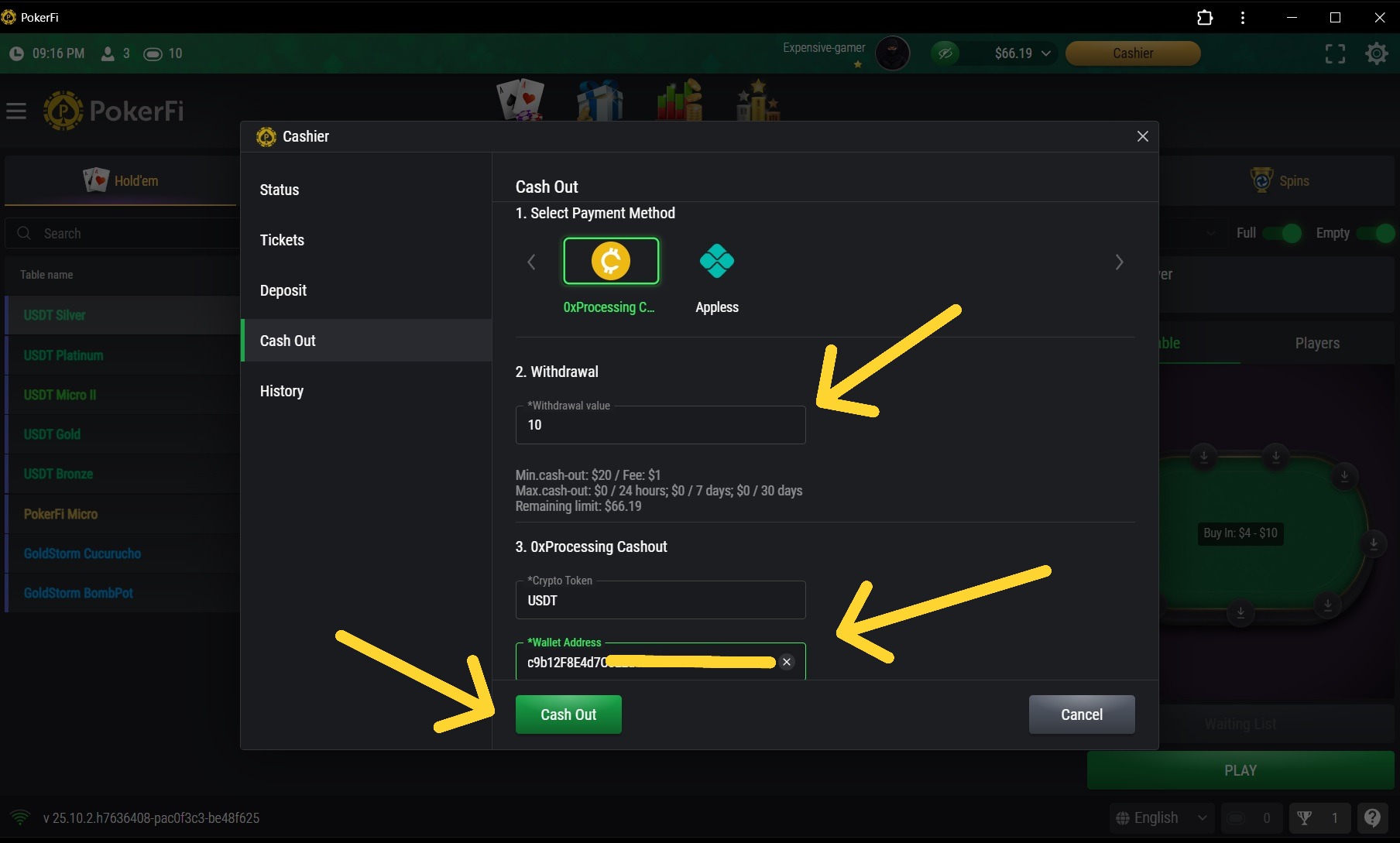
⚠️ Important: verify the data correctly, and if the chosen crypto wallet is on the correct network. (Ex: BEP-20)
💠 Appless Withdrawals
ℹ️ Important Information
Withdrawals via Appless are only available for users who have PIX in Brazil. If you are not in Brazil or do not have a PIX account, please use the USDT (0xProcessing) withdrawal option.
⏳ Coming Soon
New withdrawal methods will be available soon, including the POKERFI token. Stay tuned for updates!
If you have questions, contact support:
[email protected]ℹ️ Important
You need to verify your account before making withdrawals on the platform.
Haven't verified your account yet? Access the verification tutorial
1. Access Cashier and Click Withdraw
On the CASHIER screen, click WITHDRAW.
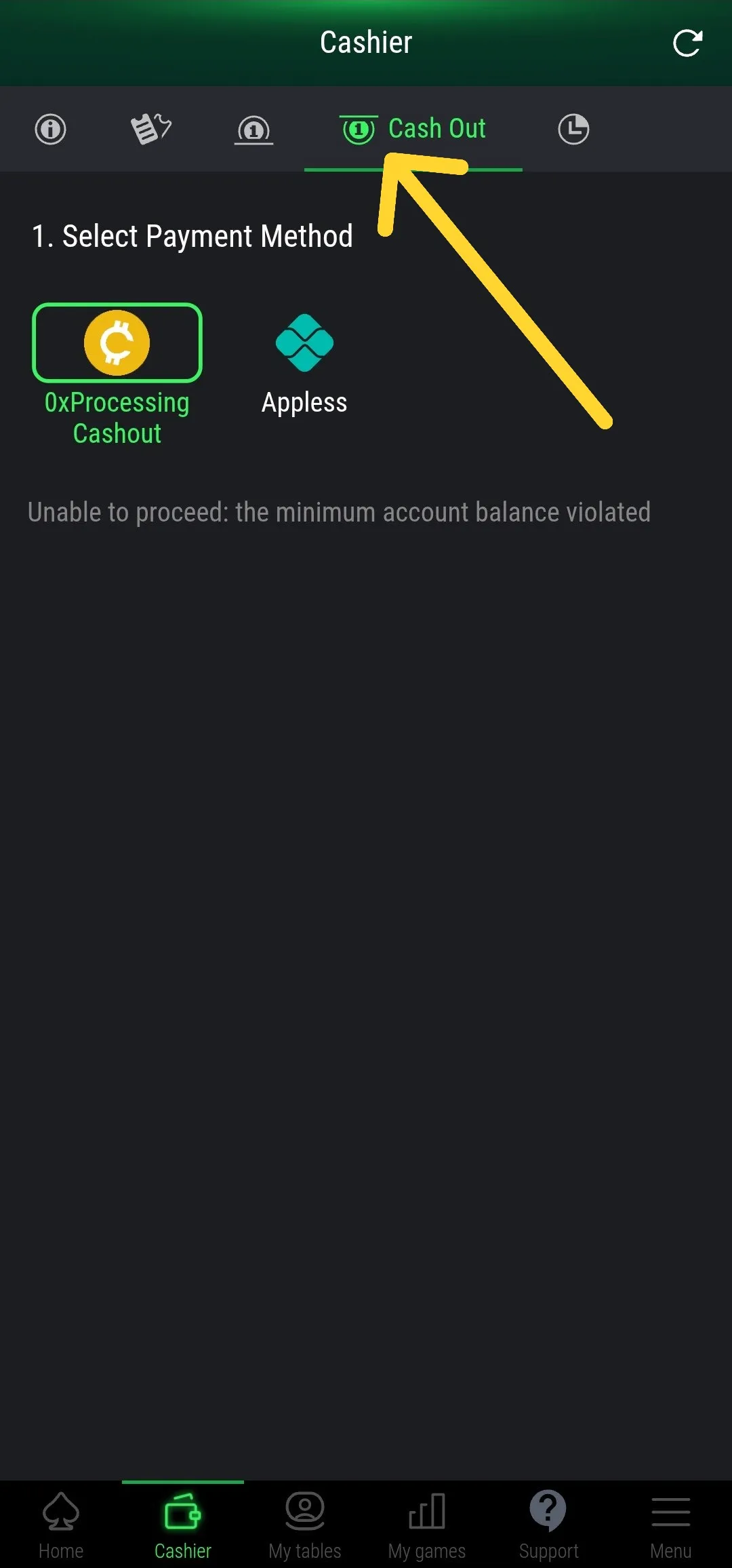
2. Choose Withdrawal Method
Choose USDT (0xProcessing) for cryptocurrency withdrawals.
₿ USDT Withdrawal
Fill in the requested withdrawal data and then click WITHDRAW.
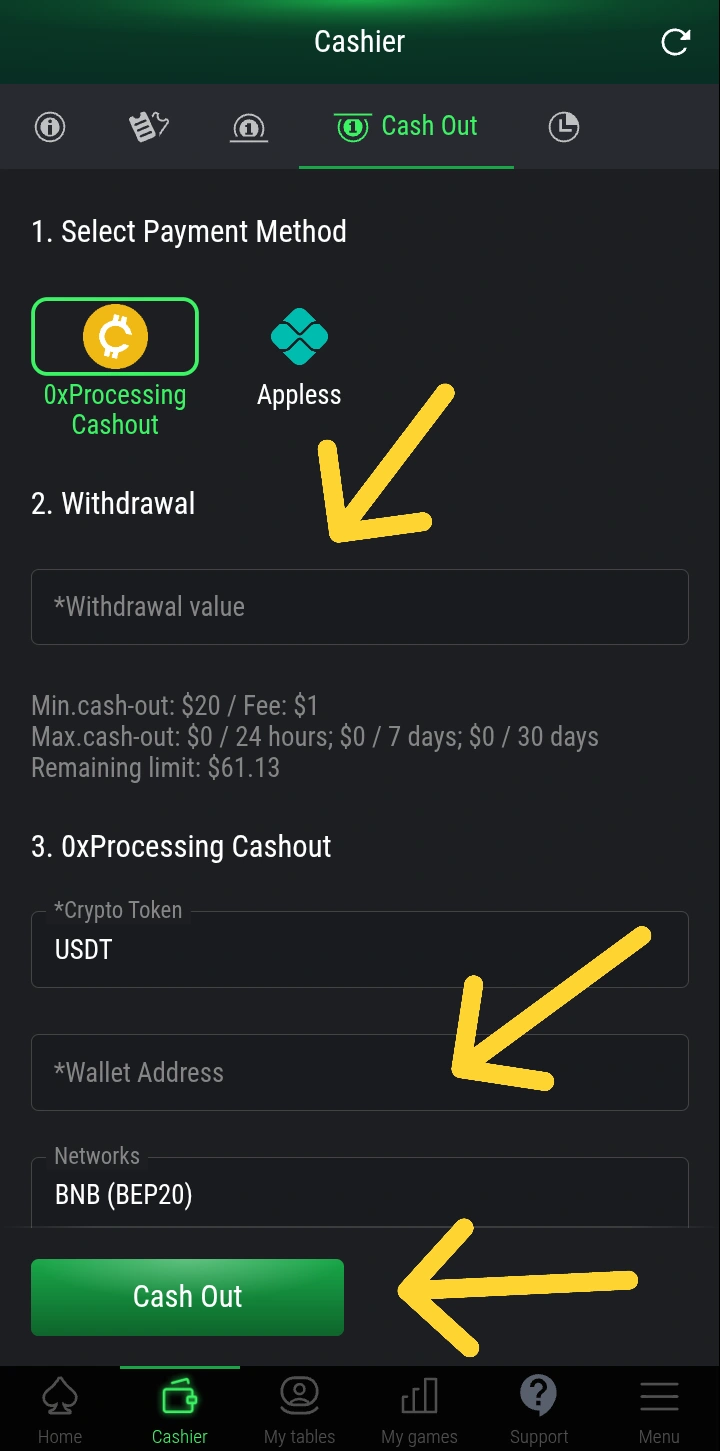
⚠️ Important: verify the data correctly, and if the chosen crypto wallet is on the correct network. (Ex: BEP-20)
💠 Appless Withdrawals
ℹ️ Important Information
Withdrawals via Appless are only available for users who have PIX in Brazil. If you are not in Brazil or do not have a PIX account, please use the USDT (0xProcessing) withdrawal option.
⏳ Coming Soon
New withdrawal methods will be available soon, including the POKERFI token. Stay tuned for updates!
If you have questions, contact support:
[email protected]